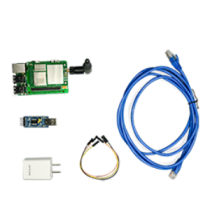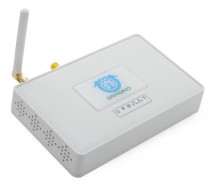
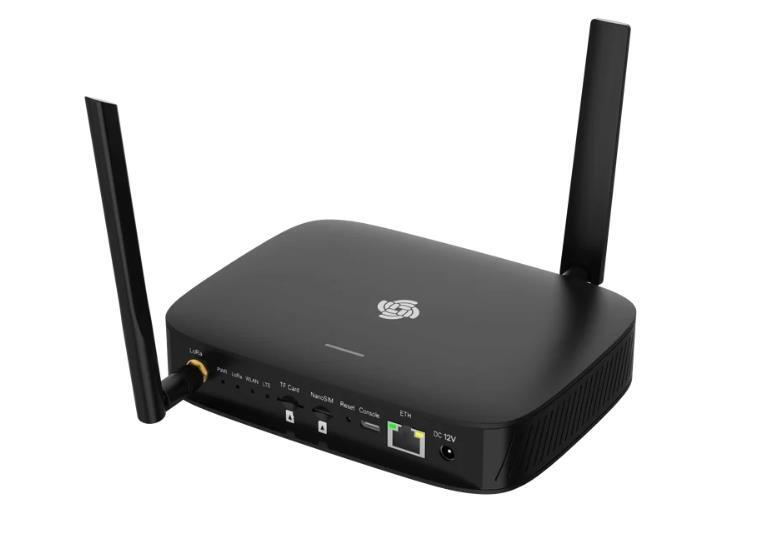
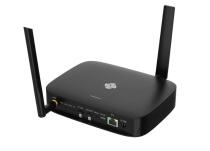
RAK7266 WisGate Soho Lite with 4G Cat1. + External Antenna (715206)
What Is WisGate Soho Lite?
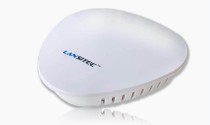
WisGate Soho Lite (RAK7266 Series) is a compact, cost-effective gateway for LoRaWAN designed for small-to-medium indoor IoT deployments.
It is available in two variants:
Version | Connectivity | Best for |
|---|---|---|
RAK7266 | LTE Cat-1, WiFi, Ethernet | Sites that need cellular backhaul, backup connectivity, or deployment where wired internet is limited |
RAK7266S | WiFi, Ethernet | Cost-effective indoor deployments where Ethernet or WiFi is already available |
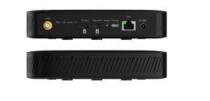
Both variants support a 12V DC power input. The RAK7266 (cellular version) offers the option to choose between a built-in or external LTE antenna, providing flexibility based on installation requirements.
Designed for simplicity and reliability, the Soho Lite is ideal for expanding LoRaWAN coverage in smart buildings, small offices, and indoor sensor networks. It is powered by WisGateOS 2, enabling quick setup, intuitive configuration, and seamless integration with WisDM for cloud-based device management.
Why You Need WisGate Soho Lite
The RAK7266 Gateway Series helps extend your LoRaWAN coverage quickly and cost-effectively.
Why it’s useful:
- Affordable entry-level LoRaWAN gateway – RAK7266S supports WiFi and Ethernet
- Flexible Connectivity Options – Supports Cat-1 LTE, WiFi, and Ethernet for dependable IoT data transmission.
- Fast and Simple Setup – WisGateOS 2 makes configuration straightforward, even for first-time LoRaWAN users.
- Compact for Indoor Use – RAK7266/S is a gateway for LoRaWAN for smart offices, residential buildings, and other small-scale indoor environments.
Best Fit for WisGate Soho Lite
WisGate Soho Lite is a strong fit for small to medium indoor LoRaWAN deployments that need compact hardware, simple setup, and flexible backhaul options.
It is especially useful for teams that need to:
- Extend LoRaWAN coverage inside smart buildings, offices, and facilities
- Connect indoor sensors for temperature, humidity, air quality, leaks, occupancy, or equipment monitoring
- Choose between LTE, WiFi, or Ethernet depending on site infrastructure
- Manage gateway fleets remotely through WisDM
- Start with a cost-effective indoor gateway before expanding to larger deployments
- Choose RAK7266 when LTE is needed, or RAK7266S when WiFi/Ethernet is enough
Key Features of WisGate Soho Lite
- 8 uplink / 1 downlink LoRaWAN channels
- LoRa Concentrator: Semtech SX1302/SX1303
- WiFi: 2.4 GHz 802.11b/g/n
- Ethernet Port: 1x 10/100 Mbps RJ45 (no PoE)
- Flexible LTE antenna options (built-in or external)
- Power input: 12V DC Adapter (included)
- Fully integrated with WisDM for remote management
By default, the RAK7266/S includes SX1302 based LoRa concentrator. If SX1303 is needed, contact our support team at support@rakwireless.com
Variant-Specific Features
- RAK7266: LTE Cat-1 connectivity with optional built-in or external LTE antenna
- RAK7266S: No cellular module (simplified deployment, lower cost)
Indoor Coverage and Deployment Expectations
Indoor LoRaWAN coverage depends on building layout, wall materials, antenna placement, gateway location, interference, and sensor distribution. For best results, place WisGate Soho Lite in a central or elevated indoor location with minimal obstruction around the LoRa antenna.
Before final installation, test coverage across key rooms, floors, or facility zones and adjust gateway placement as needed.
- Place the gateway away from metal cabinets and dense walls where possible.
- Test sensor communication before final mounting.
- Use LTE backhaul when Ethernet is unavailable or unreliable.
- Use WisDM to monitor deployed gateways remotely.
- Consider a higher-grade RAK gateway if the site needs PoE, outdoor IP rating, or wider power input.
Deployment Checklist for Indoor Gateways for LoRaWAN
Consideration | What to check |
Gateway version | Choose RAK7266 for LTE or RAK7266S for WiFi/Ethernet-only deployment |
Backhaul | Confirm whether the site will use LTE, WiFi, or Ethernet |
Power | Prepare the included 12V DC adapter and confirm outlet placement |
Gateway location | Place the gateway where it can reach the intended indoor sensor area |
Antenna option | For RAK7266, choose built-in or external LTE antenna based on signal needs |
LoRaWAN region | Confirm the correct LoRaWAN band for the deployment location |
Management | Add the gateway to WisDM if remote monitoring and fleet management are needed |
Validation | Test sensor communication and backhaul reliability before final rollout |
Use Case Examples of WisGate Soho Lite
This gateway offers reliable LoRaWAN performance for indoor environments where stable and efficient coverage is essential.
Use Case #1: Extending Coverage in Buildings
In older buildings with thick walls and no wired infrastructure, reliable wireless coverage can be tough to achieve. The WisGate Soho Lite provides seamless indoor LoRaWAN connectivity using LTE, making deployment fast and hassle-free.
Use Case #2: Facility Monitoring with Cloud Management
Small facility managers often need to monitor temperature, air quality, and water leaks across different rooms. Its compact form factor and cloud management allow sensor placement anywhere with centralized monitoring.
WisGate Soho Lite, WisGate Edge Lite 2, and WisGate Soho Pro
WisGate Edge Lite 2 and Soho Lite are compact, indoor-friendly gateways with PoE and LTE, while Soho Pro is rugged, supports broader power input and outdoor IP67 use. Only Edge Lite 2 supports Ethernet and PoE together. Here's the table breakdown for deeper comparison.
WisGate Soho Lite (RAK7266 Series) (This product) | |||||||||
LoRa Channels | 8 | 8 | 8 | ||||||
LoRa Chipset | SX1302/SX1303* | SX1302 | SX1303 | ||||||
Backhaul Options | Ethernet, WiFi (LTE optional*) | Ethernet, WiFi, LTE | WiFi, LTE | ||||||
Cellular Module | Optional Cat-1 LTE(RAK7266 only) | Cat-4 LTE | Cat-1 LTE | ||||||
WiFi Support | 2.4 GHz (AP + Client) | 2.4 GHz (AP + Client) | 2.4 GHz (AP + Client) | ||||||
Ethernet | 1x 10/100 Mbps | 1x 10/100 Mbps | No | ||||||
PoE Support | No | Yes (802.3af/at) | No | ||||||
Power Supply | 12V DC | 12V DC(9~24V DC*) or PoE | 9~36V DC or Battery Plus | ||||||
Enclosure
| |||||||||